
Claude Cowork Setup Guide: How to Turn Claude From Chatbot Into a Business Coworker
Most people use Claude like a smarter search box. But with the right setup, Claude Cowork can become a structured working partner for content, strategy, reports, SOPs, campaigns, and business execution.
Quick Answer
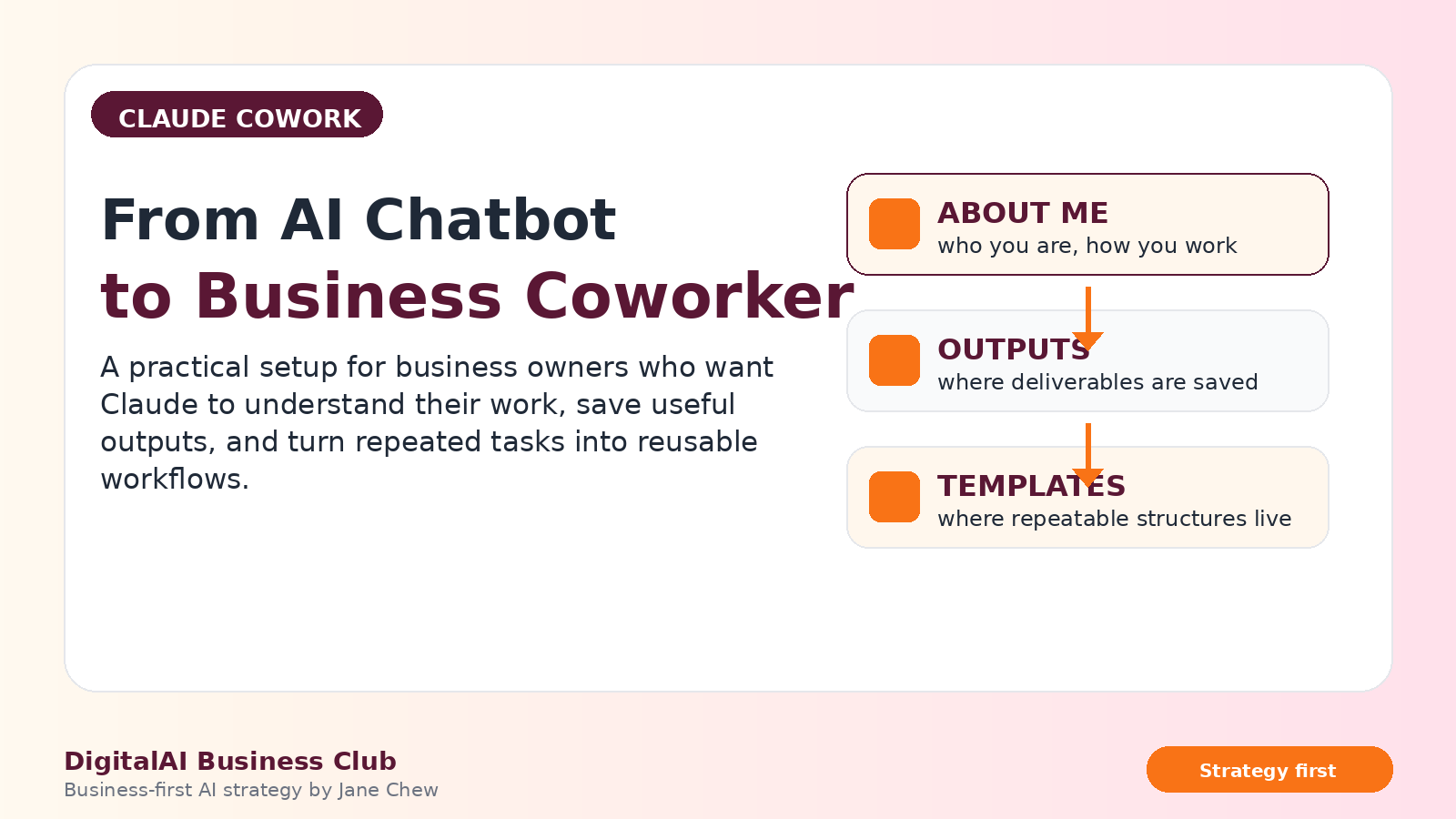
Claude Cowork becomes more useful when you set up a simple working system: one folder for your business context, one place to save outputs, one place to store reusable templates, and clear instructions on how Claude should support your work. This turns AI from a one-off chatbot into a more consistent business execution partner.
Many business owners and professionals are already using AI. But most are still using it in a very surface-level way.
They open a chat, type a prompt, get an answer, copy something, and start again the next day. Every session begins from zero.
That is why the output often feels inconsistent. The AI does not remember enough about your business, your voice, your goals, your audience, your offers, or the way you work.
Claude Cowork is useful because it can help you work with files, folders, context, instructions, and reusable structures. But the value does not come from the tool alone. The value comes from how you set it up.
Do not treat AI as a magic content machine. Treat it like a new team member. If you want better work, you must first give it better context, clearer instructions, and a better operating system.
What Is Claude Cowork?
Claude Cowork is a way of working with Claude so it can support more than simple question-and-answer tasks. Instead of treating AI as a blank chat window, you create a working environment where Claude can refer to your context, read your files, understand how you work, and help produce deliverables.
For business owners, consultants, trainers, coaches, marketers, and department leaders, this is important because most valuable work is not one-off. You repeat many types of work:
- Writing social media posts
- Preparing proposals
- Creating training outlines
- Summarising reports
- Reviewing customer journeys
- Building SOPs
- Creating campaign plans
- Turning ideas into structured documents
When Claude understands your foundation, it can help you produce these outputs faster and with more consistency.
Why Business Owners Need a Proper Claude Cowork Setup
AI tools are powerful, but they are also very dependent on context. If your context is weak, your output will be weak.
Many people blame the AI when the real issue is the setup. They expect Claude to understand their business, voice, audience, standards, offers, and goals from one short prompt.
That is not how strategic AI work should be done.
Instead of asking, “What prompt should I use?” ask, “What context does my AI coworker need before it can do useful work for me?”
Once the foundation is set, Claude can support your work in a more practical way. You do not need to repeat who you are every time. You do not need to rewrite your tone again and again. You can build reusable templates from your best outputs.
The 3-Folder Claude Cowork System
The simplest way to set up Claude Cowork is to create three main folders.
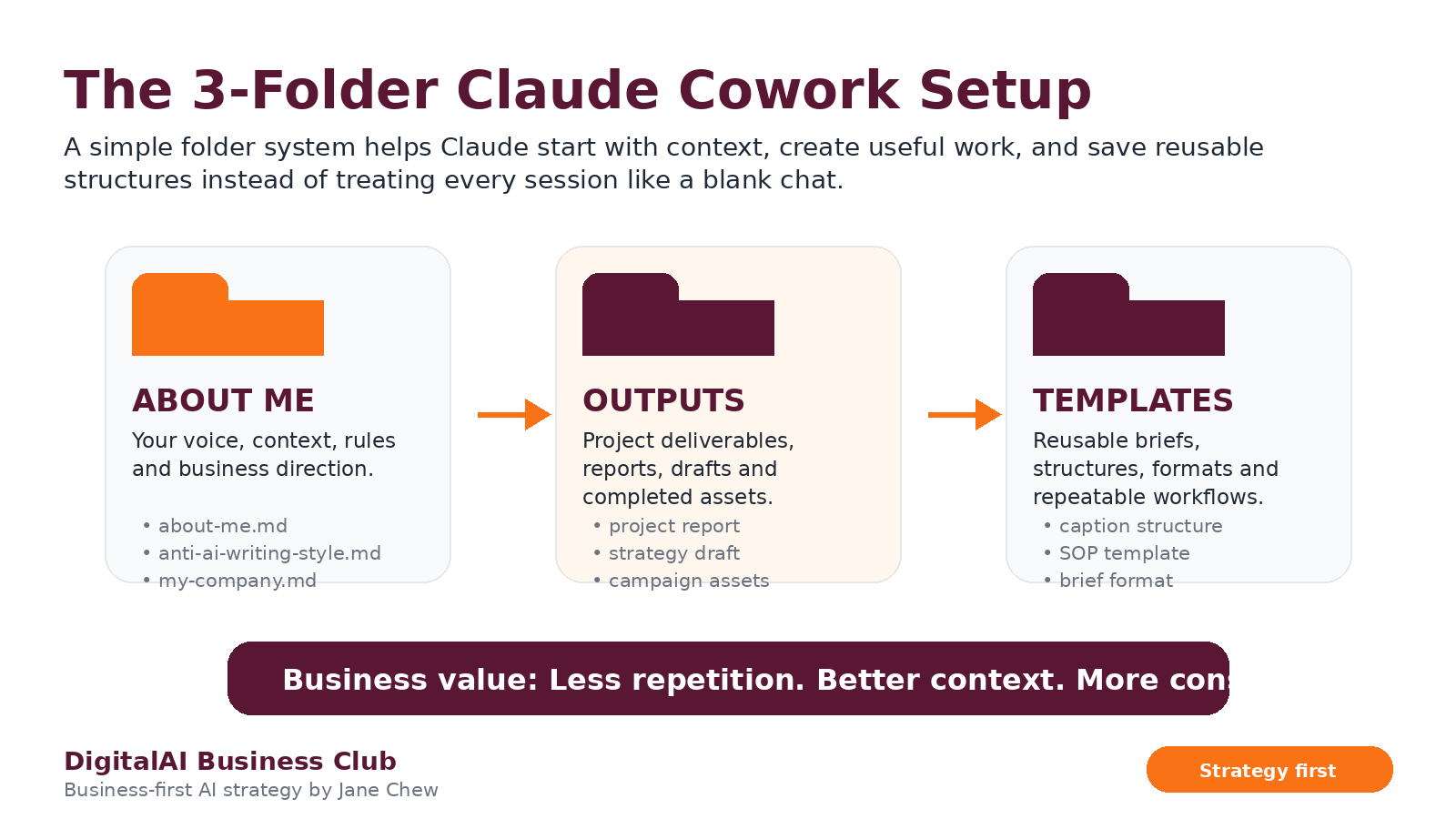
This is where Claude learns who you are, what you do, how you think, how you write, and what matters in your business.
This is where completed deliverables are saved, such as content drafts, reports, proposals, campaign plans, and summaries.
This is where your best structures are saved so you can reuse them again for similar work.
This structure is simple, but powerful. It helps Claude understand you before it starts producing work.
The ABOUT ME Folder: Give Claude the Right Business Context
The ABOUT ME folder should not become a long autobiography. It should be clear, compact, and useful.
You can start with three files:
- about-me.md: Who you are, what you do, your audience, your offers, your current focus, and your working style.
- anti-ai-writing-style.md: Words, phrases, tones, or writing styles you do not want Claude to use.
- my-company.md: Your business goals, offers, campaigns, targets, priorities, and current projects.
The purpose is not to tell Claude your whole life story. The purpose is to give Claude enough context to produce work that sounds aligned with your brand, audience, and business direction.
The OUTPUTS and TEMPLATES Folders: Build a Reusable AI Work System
Most people use AI, copy the output, and lose the structure. That is a waste.
If Claude produces something useful, save it. If the structure can be reused, turn it into a template.
For example:
- A strong Facebook post can become a content template.
- A good proposal structure can become a sales proposal template.
- A clear workshop outline can become a training design template.
- A strong diagnostic report can become a client reporting template.
- A useful briefing format can become your team SOP.
This is where AI starts becoming an operating system, not just a writing tool.
Global Instructions: Tell Claude How to Work With You
Your folder structure gives Claude the content. Your global instructions tell Claude how to behave.
This is where you tell Claude what to read, what to ignore, where to save outputs, how to respond, and how to support your work.
Good global instructions should clarify:
- Which files Claude should read before starting work
- How Claude should use your ABOUT ME files
- Where completed work should be saved
- When Claude should ask questions before producing output
- What writing style should be avoided
- How direct, concise, or detailed the response should be
Clear instructions reduce friction. They also reduce the need to keep correcting the same mistakes again and again.
Why Speaking Can Be Better Than Typing
Many people underuse AI because they try to type everything. But for strategy, planning, feedback, and business context, speaking can be much faster.
When you speak, you naturally give more background. You explain the situation, the tension, the market, the client issue, the reason, and the nuance.
This matters because Claude can only help with the context you give it.
You can use voice or dictation when:
- You are briefing Claude on a project
- You are explaining a client situation
- You are reviewing whether an output feels right
- You are giving feedback on tone or structure
- You are thinking through a business decision
For many business owners, the best ideas are already in their head. Speaking helps bring those ideas into the AI workflow faster.
How to Save AI Tokens and Work Smarter
AI productivity is not about using the longest prompt. It is about giving the right instruction at the right time.
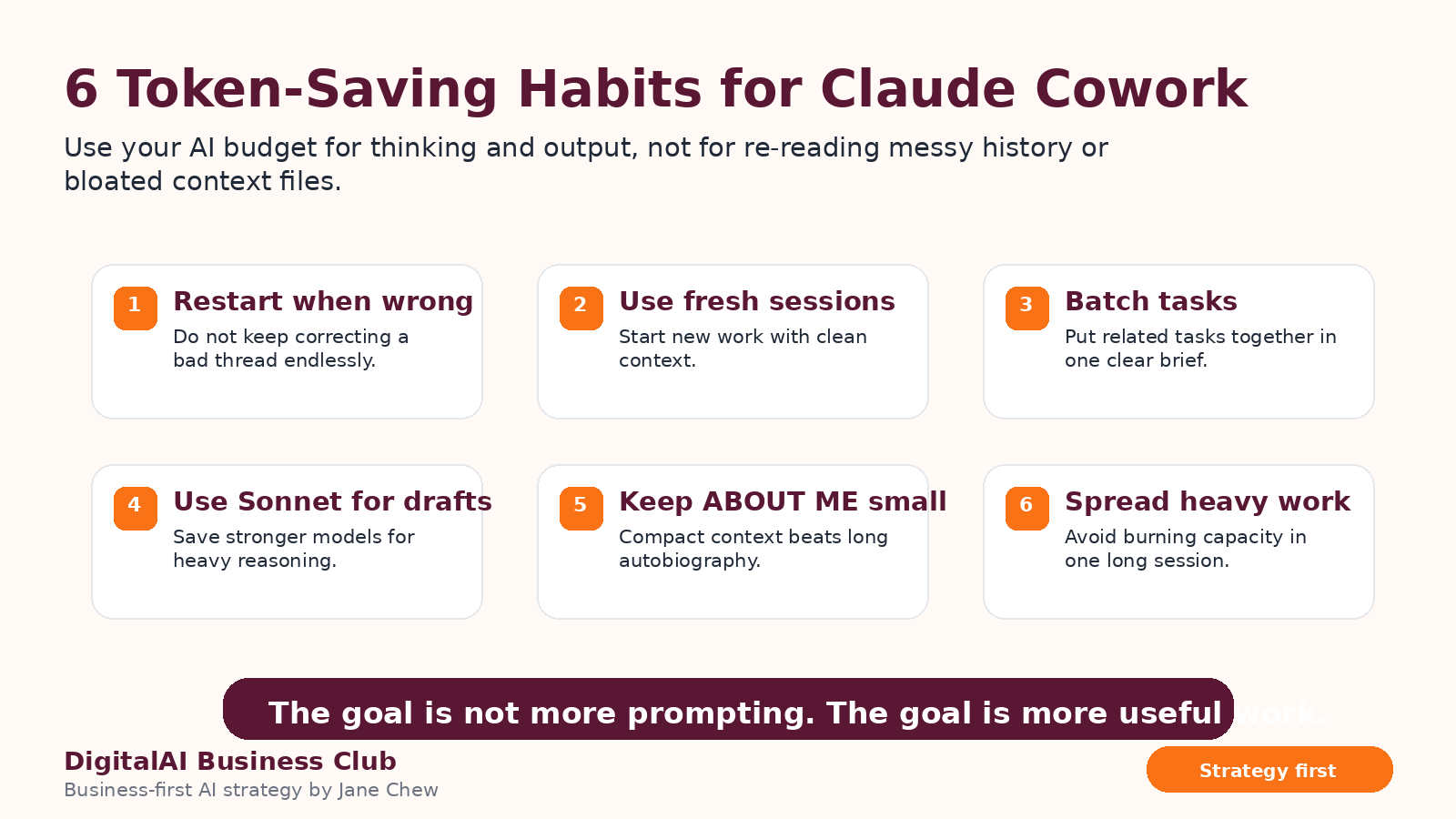
To use Claude Cowork more efficiently:
- Restart when the thread goes wrong. Do not keep correcting a messy conversation endlessly.
- Use fresh sessions for new work. Long threads can become heavy and unfocused.
- Batch related tasks together. Give one clear brief instead of many disconnected requests.
- Keep ABOUT ME files small. Clear context beats bloated context.
- Save useful templates. Do not rebuild the same structure repeatedly.
- Spread heavy work across sessions. Use your AI capacity intentionally.
The goal is not to spend more time prompting. The goal is to create more useful business work with less repeated explanation.
Your First 20 Minutes With Claude Cowork
Do not make the setup too complicated. Start with a small working version.

Minutes 0–5: Set Up the Folder
Create your Claude Cowork folder and add three subfolders: ABOUT ME, OUTPUTS, and TEMPLATES.
Minutes 5–8: Build Your Context Files
Start with simple files about who you are, your writing style, your company, your offers, and your current priorities.
Minutes 8–10: Add Global Instructions
Tell Claude how to read your files, how to ask questions, how to avoid generic writing, and where to save outputs.
Minutes 10–12: Use Dictation
Speak your project brief if typing slows you down. This helps Claude capture your real thinking faster.
Minutes 12–18: Run Your First Task
Ask Claude to create something useful immediately, such as a post, report structure, SOP, training outline, or campaign brief.
Minutes 18–20: Save Your First Template
If the output structure is useful, save it into your TEMPLATES folder so you can reuse it next time.
How to Brief Claude Cowork Properly
Better AI output comes from better briefing. Do not just tell Claude what to create. Tell it why the work matters, who it is for, what good looks like, and how the output should be structured.
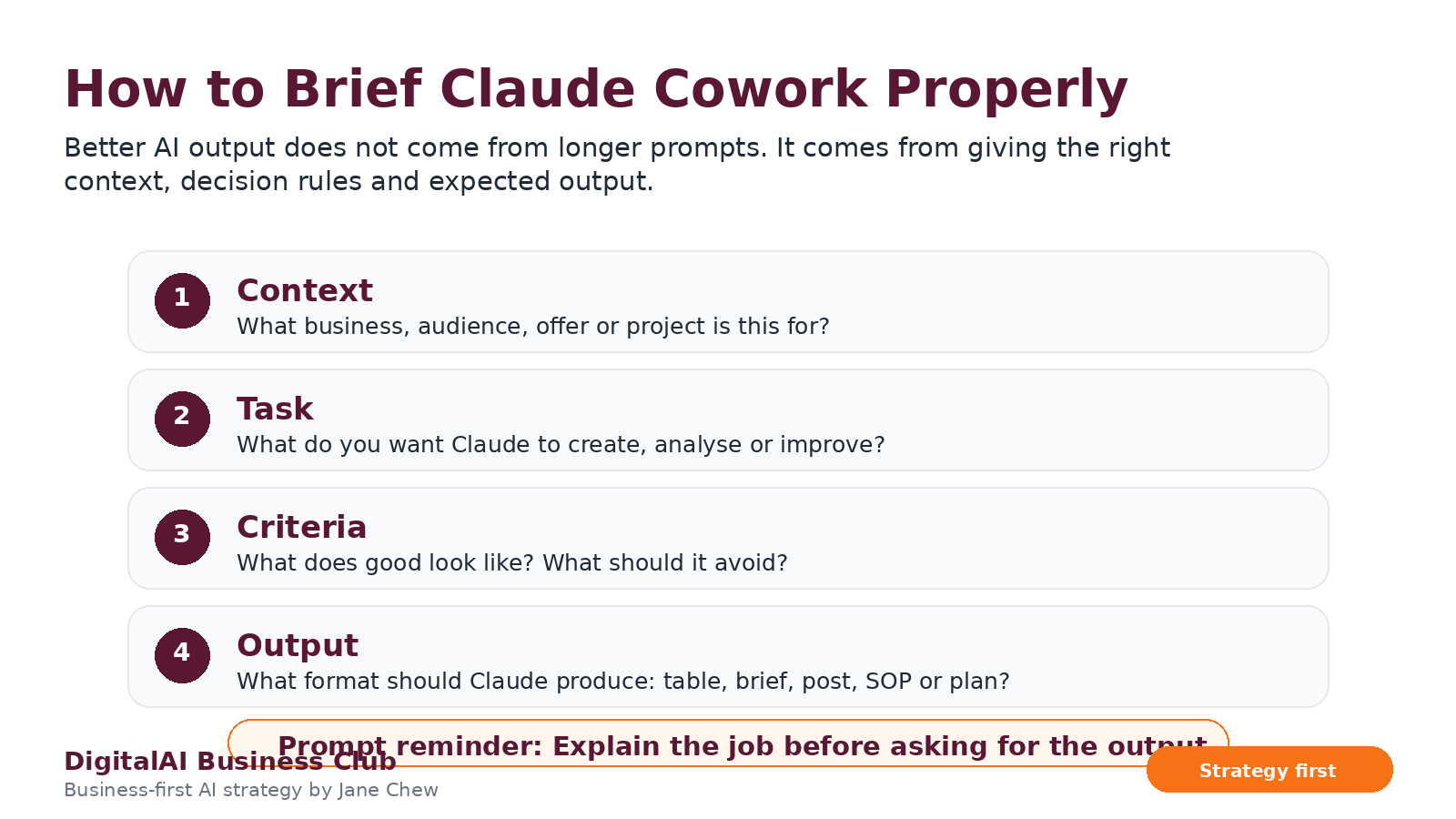
Use this simple briefing structure:
- Context: What business, audience, offer, client, or project is this for?
- Task: What do you want Claude to create, analyse, improve, or summarise?
- Criteria: What does good look like? What should Claude avoid?
- Output: What format do you want: table, checklist, report, SOP, post, email, or strategy plan?
Copy-Paste Claude Cowork Setup Prompt
Use this prompt inside Claude to help you set up your own Cowork folder and files.
Click to expand or collapse the Claude Cowork Setup Prompt
Claude Cowork Setup Checklist
- Create your Claude Cowork main folder.
- Add ABOUT ME, OUTPUTS, and TEMPLATES folders.
- Create a short about-me.md file.
- Create an anti-ai-writing-style.md file.
- Create a my-company.md file.
- Add global instructions so Claude knows how to work with you.
- Use dictation when you need to brief Claude quickly.
- Save completed work into OUTPUTS.
- Save useful structures into TEMPLATES.
- Restart messy conversations instead of over-correcting them.
The first version does not need to be perfect. The goal is to start using Claude Cowork in real work, then improve your system as you discover what you repeat often.
Frequently Asked Questions
What is Claude Cowork?
Claude Cowork is a way of working with Claude where you use folders, files, context, instructions, and reusable templates to help Claude support more structured business tasks.
Why should business owners set up Claude Cowork?
Business owners should set up Claude Cowork because repeated work becomes easier when Claude understands their business context, audience, voice, offers, goals, and preferred output style.
What folders should I create for Claude Cowork?
Start with three folders: ABOUT ME for context, OUTPUTS for completed deliverables, and TEMPLATES for reusable structures.
What should I put inside the ABOUT ME folder?
Include short files that explain who you are, what your company does, who you serve, your writing style, words to avoid, your current goals, and your working rules.
How do I get better results from Claude Cowork?
Give Claude better context, clearer tasks, specific quality criteria, and a defined output format. Save useful outputs as templates so you can reuse them.
Is Claude Cowork only for content creation?
No. Claude Cowork can support content, strategy, proposals, reports, training design, SOPs, customer journey mapping, business planning, and productivity workflows.
Use AI as a Business System, Not Just a Chat Tool
DigitalAI Business Club helps business owners, consultants, trainers, and professionals use AI with strategy, clarity, and practical execution.
Inside the club, we focus on AI Profit Growth, customer journey improvement, content systems, productivity workflows, and practical AI playbooks for business growth.
Explore DigitalAI Business Club