
The Business Prompt Playbook · Article 4 of 8
The Hidden Variables That Change Your AI Results
By Jane Chew · AI Strategy Coach, DigitalAI Business Club · May 2026

You write the same prompt twice and get two noticeably different answers. Or you follow someone else’s prompt example and your output looks nothing like theirs. This is not inconsistency — it is the hidden layer of variables that sit underneath prompt structure. Once you understand them, you have real control.
Variable 1: Temperature — creativity vs precision
Temperature controls how creative or predictable the AI’s output is. You typically cannot set this directly in standard chat tools, but your prompt influences it powerfully.
Strict, specific prompts — clear format, tight word counts, explicit rules — push the AI toward low-temperature behaviour: factual, logical, predictable. Open-ended, flexible prompts invite high-temperature behaviour: creative, varied, exploratory.
For business tasks that need consistent, accurate output — reports, client communications, proposals — use structured prompts with precise constraints. For creative tasks — brainstorming, naming, campaign ideas — keep the prompt open and minimal.
Temperature in practice
Low temperature (precise)
Tight constraints · Specific format · Fixed word count · Step-by-step rules
Best for: reports, proposals, client emails
High temperature (creative)
Open-ended task · Minimal constraints · Flexible format
Best for: brainstorming, naming, ideas
Variable 2: Randomness — why outputs vary
AI models include randomness by design. This is what prevents them from producing the exact same answer every time — and what makes them useful for creative tasks. But for business outputs that need consistency, it can feel frustrating.
You reduce randomness by adding fixed rules to your prompt: “Follow this format exactly,” “Do not add ideas I have not mentioned,” “Use only the information I have provided.” Each constraint tightens the possible range of outputs.
Variable 3: Model type — not all AI is the same
ChatGPT, Claude, Gemini, and Perplexity are all AI tools — but they are trained differently, on different data, with different strengths. The same prompt on different models will produce noticeably different outputs.
Claude tends to produce longer, more nuanced written content. ChatGPT is strong on structured analysis and step-by-step reasoning. Gemini integrates naturally with Google Workspace. Perplexity sources current web information with citations.
For most business writing and strategy tasks, test your specific use case on two models before committing to one. The time investment is small; the quality difference can be significant.
Variable 4: Input length and structure
Longer prompts are not always better. When a prompt is long but disorganised, the AI loses the thread. The quality of output drops not because the prompt is long — but because the signal-to-noise ratio is poor.
For long prompts, use clear labels (ROLE, TASK, CONTEXT, OUTPUT) and break information into short sections. The AI processes structure better than paragraphs of mixed information. Place the most important instructions at the end — the final instruction carries the most weight.
Get a monthly prompt library mapped to your business tasks
DigitalAI Business Club members receive ready-to-use, structured prompts every month — built around the variables that matter for real business output quality.
Join the Membership — RM100/yearVariable 5: Instruction strength
Not all instructions inside your prompt carry equal weight. Instructions at the end of your prompt have the highest priority. Specific, measurable instructions (“under 80 words”) outperform vague ones (“keep it short”). Direct language (“Do not use bullet points”) is stronger than suggestions (“Try to avoid bullet points”).
When you have a critical constraint — a word limit, a tone rule, a format specification — place it in the output section at the end of your prompt. This is where the AI is paying the most attention.
Variable 6: How vagueness gets punished
When a prompt is ambiguous, the AI does not ask for clarification — it makes a choice. And the choice it makes is the one that feels safest and most broadly acceptable. This produces the generic, flat outputs that frustrate most business users.
Clarity does not just improve quality — it unlocks depth. A well-specified prompt signals to the AI that it is dealing with a specific, complex request. The AI responds with greater detail, more precise reasoning, and better structure.
Clarity equals quality. Vagueness equals safe but shallow.
In Article 5, we move to multi-step prompting — how professionals build prompt workflows that produce far better results than any single instruction can achieve alone.
Frequently Asked Questions
Why does the same AI prompt give different results each time?
AI models include a degree of randomness in their generation process. You can reduce this variability by using more specific constraints in your prompt: fixed format, word count, tone rules, and clear output instructions all narrow the range of possible responses.
Which AI model is best for business use — ChatGPT, Claude, or Gemini?
The best model depends on the task. ChatGPT performs well for structured analysis and creative tasks. Claude is strong for long-form writing and detailed analysis. Gemini integrates with Google Workspace. For most business writing tasks, Claude and ChatGPT are the most widely used. Test your specific use cases on each model to decide.
How do I stop AI from adding information I did not ask for?
Add an explicit constraint to your output section: “Do not add ideas, topics, or sections I have not mentioned.” You can also add: “Use only the information I have provided.” These instructions tighten the model’s focus and prevent it from expanding beyond your brief.
What is instruction strength in a prompt?
Instruction strength refers to how much influence a specific part of your prompt has on the final output. Instructions at the end carry more weight. Specific, measurable instructions are stronger than vague ones. Direct language outperforms soft suggestions.
Move from guessing to controlling your AI results
Join DigitalAI Business Club and access monthly prompt libraries, strategy guides, and practical frameworks built for business owners.
Join the Membership Take the Free AssessmentThe Business Prompt Playbook · Article 5 of 8
Multi-Step Prompting: How to Stop Getting One-Shot Answers
By Jane Chew · AI Strategy Coach, DigitalAI Business Club · May 2026

One prompt trying to do everything usually does everything poorly. When a task is complex — a proposal, a strategy document, a detailed content plan — asking for the full output in a single instruction pushes the AI to skip steps, make assumptions, and produce something that needs heavy editing. The fix is a workflow, not a longer prompt.
Why multi-step works when one-shot fails
AI performs best when each instruction is clean, focused, and contains one job. A complex task — “write me a full business proposal including background, scope, pricing, and a timeline” — is not one job. It is five jobs stacked into one instruction.
The AI will attempt all five simultaneously, which means it makes trade-offs. It may nail the scope but produce a generic background. It may format the pricing clearly but rush the timeline. Multi-step prompting removes these trade-offs by separating each job into its own instruction — and letting the output of each step inform the next.
This is not about using more prompts. It is about using smarter ones in a logical sequence.
Step 1: Clarifying questions
Before the AI starts any complex task, ask it to clarify. This one instruction prevents the majority of wasted drafts.
The clarifying question instruction:
“Before you begin, ask me any questions you need to fully understand my goal, audience, constraints, and expectations.”
The AI will surface the gaps in your brief — and your answers will provide exactly the context it needs to produce relevant, specific work. The AI stops guessing and starts delivering.
Step 2: Outline before execution
After the clarifying step (or after you have written a strong brief), ask for an outline only — not the full draft.
The outline instruction:
“Based on my answers, create a clean outline. Do not write the full content yet. Wait for my approval.”
Reviewing an outline takes 30 seconds. Catching a structural problem at this stage saves you from editing a full draft later. Approve the outline, suggest changes, or redirect — then proceed to the draft with confidence.
Step 3: First draft
With the outline approved, you instruct the AI to write the full draft. Now it has a confirmed structure to follow — and the output is significantly cleaner than anything produced without that foundation.
The draft instruction:
“Good. Write the first full draft based on this outline. Follow the structure exactly. Keep the tone [insert tone].”
Want ready-built multi-step prompt workflows for your business?
DigitalAI Business Club members receive monthly prompt libraries with complete multi-step workflows — mapped to real business tasks so you can copy, adapt, and apply immediately.
Join the Membership — RM100/yearStep 4: Self-review and improvement
This is the step most people skip — and it is the one that makes the biggest difference. After the draft is produced, you ask the AI to evaluate its own work.
The self-review instruction:
“Review your draft. List any weaknesses, unclear sections, or missing elements. Then rewrite a stronger version using your own notes.”
The AI will identify its own gaps — repetition, weak transitions, missing specifics — and produce a second draft that addresses them. This single step eliminates the need for most manual editing.
The full workflow — a real business example
A property agent in Johor used this workflow to produce a client presentation on a new residential development. The task was complex: market context, property highlights, investment rationale, and a Q&A section.
One-shot attempt produced a generic 400-word overview. Using the 4-step workflow — clarify, outline, draft, self-review — the output was a structured 800-word presentation ready for client use, requiring only minor factual updates. Time saved: approximately 90 minutes of writing and editing.
The workflow applies to any complex business output. The steps do not change — only the brief you provide at each stage.
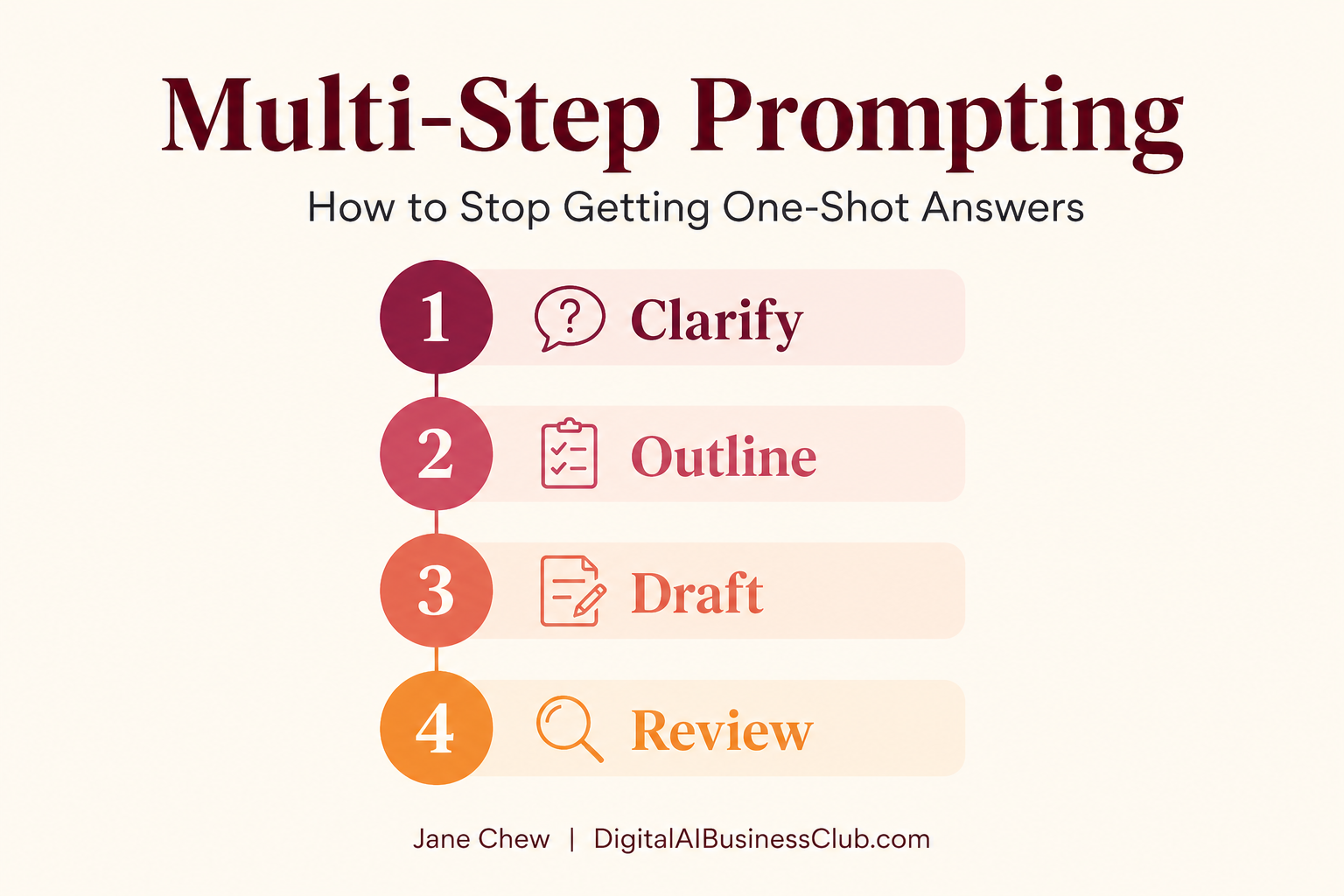
The 4-Step Multi-Step Prompt Workflow
Clarify
“Ask me the questions you need before starting.”
Outline
“Create the structure only. Wait for approval.”
Draft
“Write the full draft based on the approved outline.”
Review + Improve
“Evaluate your draft. List weaknesses. Rewrite stronger.”
Jane Chew | DigitalAIBusinessClub.com
Frequently Asked Questions
What is multi-step prompting and why is it better than a single prompt?
Multi-step prompting breaks a complex task into a sequence of focused instructions — clarify, outline, draft, review, improve. Each step produces a focused output that feeds the next. The result is consistently higher quality than any single instruction can produce.
How do I get AI to ask me clarifying questions before starting a task?
Add this instruction at the start of your prompt: “Before you begin, ask me any questions you need to fully understand my goal, audience, constraints, and expectations.” This single instruction forces the AI to surface assumptions rather than guess.
Should I always use multi-step prompting for business tasks?
Not for every task. Simple outputs are well handled by a single structured prompt. Multi-step prompting is most valuable for complex outputs: strategy documents, proposals, content plans, or any output you would normally spend significant time editing.
What does ‘ask the AI to review its own work’ mean?
After the AI produces a draft, send a follow-up: “Review your draft. List any weaknesses, gaps, or unclear sections. Then rewrite a stronger version.” The AI critiques its own output and produces an improved second draft — usually better than most manual editing.
Access complete multi-step prompt workflows every month
Join DigitalAI Business Club and get practical, ready-to-use prompt libraries built for business owners — not developers.
Join the Membership Take the Free AssessmentThe Business Prompt Playbook · Article 6 of 8
10 Ways to Fix a Bad AI Answer in Under 60 Seconds
By Jane Chew · AI Strategy Coach, DigitalAI Business Club · May 2026

A bad AI answer is not the end of the conversation — it is diagnostic information. It tells you exactly what the prompt was missing. This checklist gives you 10 targeted fixes for the most common prompt problems, each one applicable in under a minute.
The right mindset: diagnosis, not frustration
Most people react to a bad AI answer with frustration — they assume the tool is inconsistent or unreliable. The more useful response is to treat the bad answer as a diagnostic signal. Every weak output has a cause, and every cause has a fix.
This checklist maps the most common AI output problems to the specific prompt element that produced them. Run through it when an answer misses the mark.
The 10 prompt fixes
Output sounds generic → Sharpen the role
The role was too broad. Add specific expertise and industry context.
Fix: “You are a [specific expert with relevant experience and domain].”
Answer is unfocused or mixed → Clarify the task
Multiple ideas crammed into one instruction. Separate them.
Fix: “Your task is to [one specific action verb]. Only do this. Nothing else.”
AI made wrong assumptions → Add missing context
The AI filled gaps with guesses. Give it the missing facts.
Fix: “Here is the missing context: [goal, audience, background, constraints].”
Wrong format or structure → Define the output
You did not specify how the answer should look. Tell it now.
Fix: “Rewrite this as [format]. [Length]. [Tone]. [Must include / must avoid].”
Answer is okay but not strong → Ask for self-review
Adequate but not excellent. Force a second pass.
Fix: “Review your answer. List weaknesses. Rewrite a stronger version.”
AI misunderstood the goal → Use the clarifying question trick
Reset alignment before continuing.
Fix: “Before you continue, ask me 3 questions you need to get this right.”
Output is chaotic → Break the task into steps
The task was too big for one instruction. Use the multi-step approach.
Fix: “Create an outline only. Do not write the full content yet.”
AI forgot early instructions → Reset the memory
Long conversations exceed the context window. Restate your brief.
Fix: “Here is the updated instruction summary. Follow this from now on: [restate role, task, context, output].”
AI keeps adding ideas you did not ask for → Tighten constraints
The output instructions allowed too much flexibility.
Fix: “Do not add new ideas. Use only the information I have given you.”
Wrong style or tone → Provide an example
The AI cannot match a style it cannot see. Show it one.
Fix: “Follow this style example exactly. Do not copy the content — only the style.” [paste sample]
Save this checklist — and get a prompt library with it
DigitalAI Business Club members get monthly prompt libraries and troubleshooting frameworks ready to apply to their real business tasks.
Join the Membership — RM100/yearThese 10 fixes cover the vast majority of prompt problems. Most issues resolve with one or two of them. The skill is identifying which one applies — and with practice, this becomes instinctive.
In Article 7, we move into the expert prompt patterns that professionals use for more complex and strategic work — including persona stacking, reverse engineering, and simulation.
Frequently Asked Questions
What should I do when AI gives me a generic answer?
A generic answer almost always means the role or context was too vague. Add a specific role with domain expertise, and expand your context to include your industry, audience, and goal. The more grounded the information you provide, the more specific the output becomes.
How do I fix an AI answer that is too long or poorly structured?
Add a clear output instruction specifying format, length, and structure. For example: “Rewrite this in three short paragraphs. Under 150 words. No bullet points.” The output instruction carries the most weight in any prompt, so placing it at the end gets immediate results.
Can I ask the AI to fix its own answer?
Yes — this is one of the most effective techniques available. Send the instruction: “Review your answer. List what is weak or unclear. Then rewrite a stronger version.” The AI will evaluate its own output and produce a noticeably improved second draft.
What do I do if the AI keeps repeating the same ideas?
Repetition usually happens when the context window has grown too long. Start a new conversation, restate your key instructions, and add the constraint: “Do not repeat any idea more than once.”
Build your prompt skills — one month at a time
DigitalAI Business Club members access monthly prompt libraries, strategy frameworks, and practical guides built for business owners.
Join the Membership Take the Free AssessmentYou Might Also Find These Useful
Member-Only Content · The Business Prompt Playbook · Article 7 of 8
This article is available exclusively to DigitalAI Business Club members.
You have the formula. You understand the variables. You know how to fix bad outputs and build multi-step workflows. Article 7 takes you further — into the 9 expert prompt patterns that professionals use when they need more than a structured instruction.
These patterns change how the AI thinks, not just what it produces. Each one comes with a ready-to-use business template you can apply immediately — to strategy, content, sales, operations, and more.
Patterns covered in this article: Chain-of-Thought, Critic, Persona Stack, Constraint, Expert Rewrite, Reverse Engineering, Simulation, Knowledge Expansion, and Before-After.
This is a member-only resource
Join DigitalAI Business Club to access the full article, the PRISM-ready template for each pattern, and the monthly prompt library.
Join the Membership — RM100/year Already a member? Log inMEMBER-ONLY STRATEGY · THE BUSINESS PROMPT PLAYBOOK · ARTICLE 7 OF 8
9 Expert Prompt Patterns Every Serious Business User Should Know
By Jane Chew · AI Strategy Coach, DigitalAI Business Club · May 2026
The 4-part formula gives you a reliable structure. But structure alone does not unlock the most powerful outputs available to you. Expert prompt patterns change the AI’s behaviour at a deeper level — they shift how it reasons, evaluates, and creates. This article covers all nine, with a ready-to-use business template for each.
Pattern 1: Chain-of-Thought
Forces the AI to reason through the problem step by step before writing its answer. Reduces errors, increases logic, and makes the AI’s reasoning transparent — so you can see where it went right or wrong.
When to use: Strategy analysis, business decisions, troubleshooting, any task where logic and accuracy matter more than speed.
Business template:
“Before you give me your recommendation, think through this step by step. Show your reasoning at each stage. Only give your final recommendation after you have worked through the logic.”
Pattern 2: Critic
The AI becomes a critic first, then a creator. It evaluates a draft — yours or its own — identifies weaknesses, scores it, and rewrites a stronger version. The quality of the second draft is consistently higher than the first.
When to use: Emails, proposals, sales scripts, landing pages, presentations — any content where quality matters and a second draft is expected.
Business template:
“Evaluate this draft: [paste draft]. Score it out of 10. List the 3 biggest weaknesses. Then rewrite it as a stronger version — same meaning, higher quality.”
Pattern 3: Persona Stack
You assign multiple expert roles simultaneously. The AI gives feedback from each perspective before delivering a final answer. This simulates a panel review — multiple expert lenses applied to the same problem.
When to use: Brand strategy, product launches, content strategy, business model decisions — anywhere multiple expertise domains are relevant.
Business template:
“Take three roles: (1) a brand strategist, (2) a financial analyst, (3) a customer experience expert. Each must give separate feedback on [your topic]. Then give a synthesised recommendation.”
Pattern 4: Constraint
You force the AI into strict boundaries. Constraints remove randomness, increase precision, and create highly predictable outputs. The tighter the constraint, the more specific and controlled the result.
When to use: Any task where format consistency matters — social posts, email templates, customer communications, training scripts.
Business template:
“Write this using only short sentences. No jargon. Maximum 100 words. Every sentence must be something a 45-year-old SME owner in Malaysia would immediately understand.”
Pattern 5: Expert Rewrite
You give the AI raw, unpolished content and ask it to rewrite at a professional level. Your ideas are preserved. The execution is elevated.
When to use: Turning rough notes into polished content, upgrading existing copy, improving first drafts of proposals, pitches, or emails.
Business template:
“Rewrite the following as a senior business strategist writing for Malaysian SME owners. Improve clarity, structure, and persuasion. Keep the same meaning and do not add new ideas: [paste content]”
Pattern 6: Reverse Engineering
You give the AI a high-performing output — a competitor’s post, a viral piece, a proposal that won a deal — and ask it to extract the hidden structure, formula, and pattern. Then you use that pattern to create something new.
When to use: Content strategy, copywriting, proposal writing, competitor analysis.
Business template:
“Analyse this high-performing piece: [paste content]. Extract: (1) the hook formula, (2) the structural pattern, (3) the emotional triggers, (4) the pacing. Then create a new piece on [your topic] using the same hidden structure.”
Pattern 7: Simulation
The AI simulates your target audience, a stakeholder, or a customer — and tells you how your message sounds to them. It exposes blind spots you cannot see from inside your own perspective.
When to use: Marketing messages, sales pitches, customer communications, website copy — any content where audience alignment is critical.
Business template:
“Simulate my target audience: [describe them — age, role, goals, concerns]. Read this message: [paste content]. Tell me: (1) your honest reaction, (2) what feels unclear, (3) what would make this more persuasive. Then rewrite it for maximum impact.”
Pattern 8: Knowledge Expansion
Before creating anything, you ask the AI to research and surface what you need to know about the topic. The AI becomes a research engine first, then a content engine. Output depth improves significantly.
When to use: Before writing strategy documents, long-form content, training materials, or entering an unfamiliar topic area.
Business template:
“Before writing anything, list the 8 most important things I should understand about [topic] from a Malaysian SME business perspective. Then suggest 3 angles I could take. I will choose one before you write.”
Pattern 9: Before-After
The AI shows you a weak version of something and a strong version — side by side. The contrast makes the improvement visible and teachable. Useful for your own learning and for training team members.
When to use: Coaching and training content, writing skill development, showing clients the difference AI can make.
Business template:
“Topic: [your topic]. First write a weak, generic version as a beginner might produce. Then write a strong, professional version. Explain in 2 sentences what makes the strong version better.”
These nine patterns are not alternatives to the 4-part formula — they are extensions of it. Each one can be layered onto any structured prompt to produce a deeper, more specific, or more creative output.
In the final article of this series, we bring everything together into your personal prompt system — a master framework you can reuse for any task, at any complexity level.
Access the full prompt library for this article
Your membership includes a PRISM-ready prompt template for each of the 9 patterns — mapped to business use cases and ready to apply today.
Join the Membership Already a member? Log inMember-Only Content · The Business Prompt Playbook · Article 8 of 8
This article is available exclusively to DigitalAI Business Club members.
This is the final article in The Business Prompt Playbook series. It brings together everything you have learned — the formula, the variables, the multi-step workflow, the troubleshooting checklist, and the expert patterns — into one personal system you can rely on for any task, at any level of complexity.
Most business owners treat AI as a series of one-off interactions. This article shows you how to build a systematic approach — a personal prompt library, a daily practice routine, and a master framework that compounds over time.
This is a member-only resource
Join DigitalAI Business Club to access the full article, the downloadable master prompt framework, and the personal prompt library template.
Join the Membership — RM100/year Already a member? Log inMEMBER-ONLY STRATEGY · THE BUSINESS PROMPT PLAYBOOK · ARTICLE 8 OF 8
Build Your Personal Prompt System — The Master Framework
By Jane Chew · AI Strategy Coach, DigitalAI Business Club · May 2026
You now have the complete toolkit. The formula. The variables. The workflow. The troubleshooting checklist. The expert patterns. This final article shows you how to integrate all of it into a personal system — one that gets faster and better with every prompt you write.
The master prompt framework
This is the final blueprint — a universal template that works for any task, any model, any level of complexity.
The Master Prompt Framework
ROLE
TASK
CONTEXT
• Niche / industry: [insert]
• Audience: [insert]
• Goal: [insert]
• Background: [insert]
• Constraints: [insert]
• What to avoid: [insert]
OUTPUT
• Format: [headings / bullets / paragraphs / table]
• Tone: [formal / conversational / direct / warm]
• Length: [word count or item count]
• Must include: [insert]
• Avoid: [insert]
OPTIONAL ADVANCED STEPS
1. Ask me clarifying questions
2. Create an outline — wait for my approval
3. Write the first draft
4. Self-review — list weaknesses, rewrite stronger
[Add expert patterns here if needed: Chain-of-Thought / Critic / Persona Stack / etc.]
Jane Chew | DigitalAIBusinessClub.com
Building your personal prompt library
The most productive AI users are not the ones with the best tools — they are the ones with the best saved prompts. Every time you write a prompt that produces an excellent output, save it. Organise your library by use case.
Suggested prompt library categories
Content creation
Posts, articles, newsletters, scripts
Business communications
Emails, proposals, reports, briefs
Strategy and planning
Analysis, decisions, roadmaps
Research and insight
Market, competitor, customer analysis
Sales and pitch
Scripts, objections, proposals
Daily tasks
Meeting notes, summaries, follow-ups
Start with five saved prompts. Add to the library every week. Within 90 days, you will have a personal system that handles the majority of your recurring AI tasks in seconds.
The daily practice routine
Prompt engineering improves through use, not memorisation. These routines build the skill quickly without requiring large time blocks.
The 5-minute daily drill: Pick one small task each day and write a full 4-part prompt. Caption, email, summary, idea list — it does not matter. The discipline builds speed and clarity over time.
The rewrite habit: Take something you wrote before and ask the AI to improve it. “Rewrite this with better clarity and structure. Keep my meaning.” This trains your eye for what “better” looks like.
The self-review routine: After every AI draft, send the self-review instruction before accepting the output. “Review your work. List weaknesses. Rewrite a stronger version.” This single habit delivers more quality improvement than any other.
The weekly pattern practice: Each week, pick one expert pattern from Article 7 and apply it to a different topic. Critic one week, Persona Stack the next. Depth builds through deliberate repetition.
A complete real-world workflow
Here is how a business owner in professional services uses this system daily. She runs a small accounting firm in Kuala Lumpur with six staff.
Each morning she spends eight minutes on AI tasks using saved prompts from her library: a follow-up email to a prospect (saved email template, 30 seconds), a summary of yesterday’s client meeting notes (saved summary prompt, 90 seconds), a LinkedIn thought-leadership post on a topical issue (saved content creation prompt, 3 minutes).
For larger tasks — a new service proposal, a client-facing financial guide, a team training brief — she uses the full multi-step workflow: clarify, outline, draft, self-review. Each complex task takes 20–30 minutes that would previously have taken two to three hours.
Her output volume has approximately tripled. Her editing time has halved. She has not replaced her expertise with AI — she has amplified it.
What you now know — the full picture
You started this series understanding that AI was not producing good results. You now know exactly why — and exactly how to fix it.
The Business Prompt Playbook — what you now have
Understanding of why prompts fail — and the 4 structural reasons behind it
The 4-part formula: Role, Task, Context, Output
15 AI terms to navigate tool conversations with confidence
The hidden variables — and how to control them through your prompt
The 4-step multi-step workflow for complex business tasks
10 targeted fixes for the most common prompt problems
9 expert patterns with business-ready templates for each
The master framework and a personal prompt library system
Jane Chew | DigitalAIBusinessClub.com
This is not the end of your AI journey. It is the beginning of a systematic one. The business owners who build lasting advantage from AI are not the ones who use the most tools. They are the ones who think more clearly, prompt more precisely, and build systems that compound over time.
That is what DigitalAI Business Club is built for.
Continue building your AI advantage inside the Club
Every month, members receive a new prompt library, strategy article, and practical framework — each one building on the last.
Membership from RM100/year.
Join the Membership Join the WhatsApp Community