
- SME Owners: Leaders looking to automate research and marketing workflows without the high overhead of traditional consultancies.
- Business Consultants: Professionals needing to synthesize massive client data sets into high-trust strategic reports.
- Regional Decision-Makers: Executives in the SEA market seeking jargon-free AI solutions that respect corporate governance and data privacy.
- A complete understanding of 7+ strategic use cases including competitor intelligence and HRDC-claimable training assets.
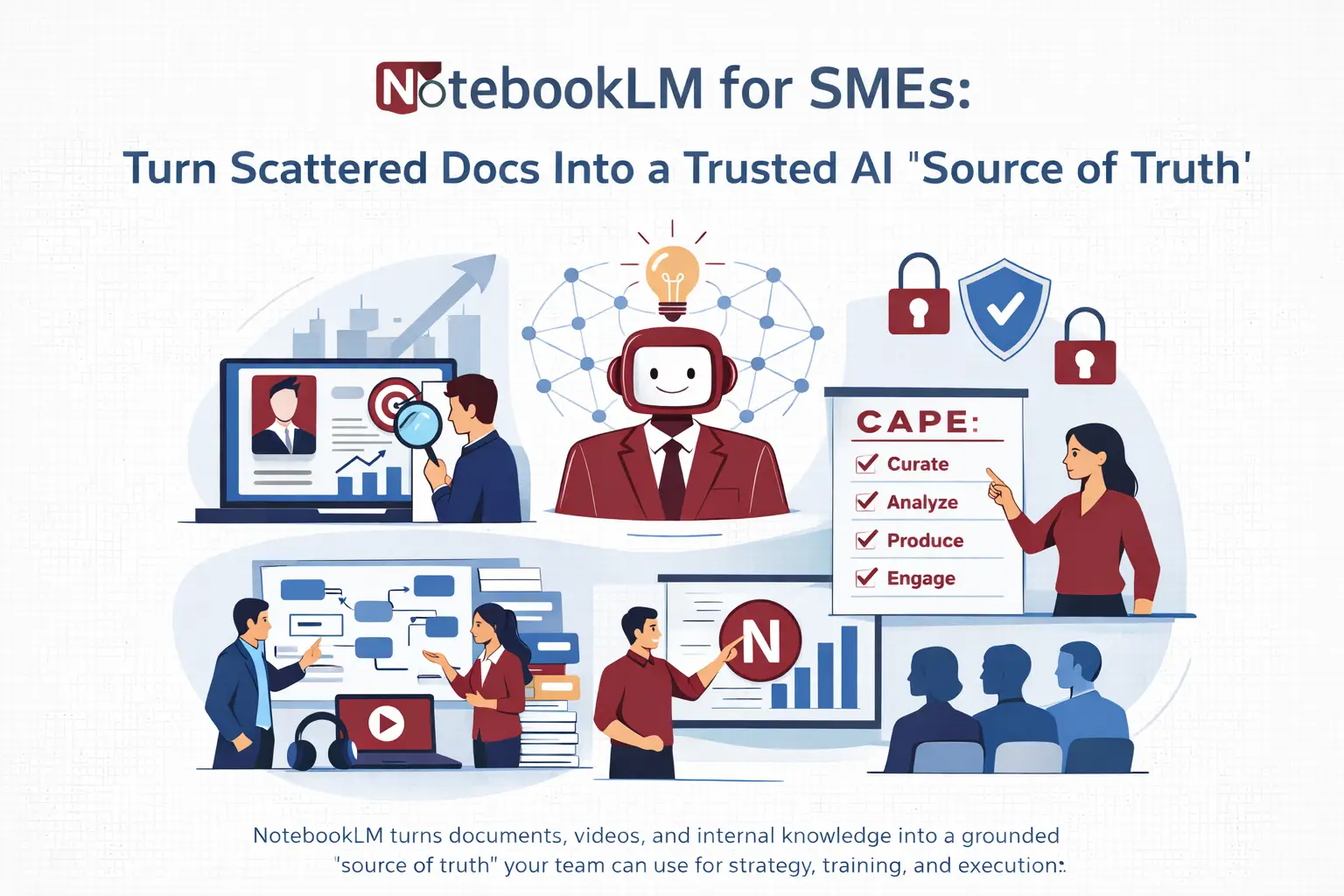
- The C.A.P.E. Framework: A proprietary 4-step system for systematic AI adoption.
- Technical mastery of the “Nano Banana” image model and “Interactive Audio” modes.
- A ready-to-deploy 30-day implementation checklist for your SME.
The Business Impact: Why Grounded AI Matters Now
The primary barrier to AI adoption in the Malaysian SME sector is trust. Standard LLMs are prone to “hallucinations,” which can be catastrophic for business strategy. NotebookLM introduces Absolute Grounding: it only answers based on the sources you provide. If the answer isn’t in your data, the AI won’t invent it.
For leaders, this represents a shift to “Active Intelligence.” Whether you utilize the 50-source limit (Free) or the 300-source capacity (Pro), the system can process a staggering 25 million words. This allows a business to treat its proprietary data—from SOPs to market research—as a living, breathing expert rather than a static archive.
The Real Problem: Moving Beyond Static Content
Most internal business data—SOPs, technical manuals, and recorded Zoom meetings—exists as “Dead Content.” Traditional Learning Management Systems (LMS) used by many regional SMEs are static; they require manual effort to find, synthesize, and update. NotebookLM transforms these into “Live Notebooks.”
Limitations of Traditional Static Content
- Information Silos: Insights in a PDF report don’t talk to the data in your YouTube training videos.
- Static Delivery: Traditional courses offer a rigid path, whereas NotebookLM allows a learner to ask “How does this specific rule apply to my current project?” and receive a cited answer.
- LMS Costs: Moving away from expensive, static LMS platforms toward interactive, AI-powered hubs can significantly reduce digital transformation friction.
The Strategic Framework: The C.A.P.E. Model
To move from trial to transformation, I recommend the C.A.P.E. model for adopting NotebookLM within your organization:
- Curate: Build your “Source of Truth.” Use Bulk Uploads and the Web Importer extension to pull in YouTube playlists, RSS feeds, and entire Google Drive folders.
- Analyze: Move past “Fast Research” (which scans ~10 sources) and leverage Deep Research to analyze 75+ sources simultaneously. Use this phase for Gap Analysis—identifying what is missing from your current business strategy or risk mitigation plans.
- Produce: Generate high-value outputs using the Studio panel. Create Mind Maps to visualize high-level structures before diving into reports. Leverage the Nano Banana image model to produce high-quality slide decks and infographics that look professional and brand-aligned.
- Engage: Share notebooks via “Chat Only” or “Editor” modes. Utilize the Interactive Audio Mode, where team members can “Join” the podcast overview in real-time to ask the hosts specific questions about the material.
Implementation: Step-by-Step Setup & Task Docs
Setting up a business-grade notebook requires more than just file uploads. You must embed your Proprietary Business Logic into the AI’s behavior.
1. Set a Custom Persona
Change the default assistant into a “Growth Strategist” or “Compliance Auditor.” Specify that the tone must align with Malaysian corporate culture—direct yet professional—and prioritize ROI and local market nuances.
2. The “NotebookLM Task” Method
To bypass chat prompt length limits and ensure consistent output, use the “Task Doc” method. Upload a detailed Google Doc titled “Project Instructions & Proprietary Logic.” Instruct the AI to consult this document first for every query. This ensures the AI follows your specific strategic framework for every report or slide deck it generates.
3 Strategic Business Use Cases
Case 1: Automated Competitor Intelligence (“Spying” Mode)
Upload competitor website URLs and industry reports. Use the Data Table tool in the Studio to automatically extract competitor pricing, target audiences, and value propositions. Because this is grounded, you can export these findings directly to Google Sheets for high-trust strategic planning.
Case 2: HRDC-Claimable Training & Interactive Onboarding
Transform technical SOPs and recorded transcripts into a dynamic training hub. By converting “dead” manuals into Interactive Mind Maps and Audio Overviews with the “Join” feature, you create digital assets that support HRDC-claimable training initiatives. Employees can quiz themselves via auto-generated flashcards, moving away from expensive, static training modules.
Case 3: High-Trust Content Marketing (Gemini/Canvas Integration)
Use NotebookLM as your “Source of Truth” to curate industry data. Then, port that notebook into Gemini via Canvas. Use Gemini as the “Builder” to turn your grounded data into interactive landing pages or social media infographics. Use the Nano Banana model to specify styles like “Whiteboard Marker” or “Square Orientation” to ensure your content is both accurate and visually engaging.
Governance: Risks and Guardrails
As an AI Strategy Coach, I advise the following governance for SMEs:
Strategy note: Treat “Grounded AI” as a governance upgrade, not a tool upgrade—your credibility improves when every output can be traced back to source evidence.
- Data Privacy: Google does not train its public models on the data you upload to your private notebooks. Ensure you use Pro/Enterprise accounts for sensitive internal documents to control email-based access.
- Safety Filters & Brand Assets: NotebookLM has strict safety filters that can be “hit or miss” with Brand Characters. If a character face or brand asset is blocked, use Google AI Studio (same model, fewer filters) for more reliable visual consistency.
- Human Oversight: Studio outputs (Slide Decks and Reports) are high-quality drafts. A human expert must always review the final strategic alignment before presentation to regional leadership.
- Folder Management: Use the FoldLM extension to organize your notebooks into categories (e.g., “Competitor Spying,” “Project Onboarding”) to prevent information overload.
SME Action Checklist: Your First 30 Days
Note: This checklist is conceptual for planning purposes.
Week 1: Data Audit. Identify one “Dead Course” or a folder of PDF reports to digitize into your first Master Dashboard.
Week 2: Custom Setup. Set up a “Growth Strategist” custom persona and upload a “Task Doc” containing your unique business logic.
Week 3: Visual Production. Generate a 10-slide deck using Nano Banana and a 10-minute Interactive Audio Overview for a key project.
Week 4: Deployment. Share a “Chat Only” notebook with a client or internal team to provide 24/7 grounded support.
Closing
The transition from static information to dynamic, grounded intelligence is a competitive necessity for Malaysian SMEs. NotebookLM allows you to leverage your internal expertise with the speed of AI and the reliability of cited truth. Stop searching through files; start conversing with your business intelligence.
Want help turning this into a roadmap? Contact Jane Chew for a DigitalAI Assessment or strategy support to integrate these tools into your HRDC-training workflows.
Jane Chew — AI Strategy Coach, HRDC Trainer, and Founder of DigitalAI Business Club. Bridging the gap between AI capabilities and practical business application for the SEA region.
Website: digitalaibusinessclub.com
Frequently Asked Questions
- Is NotebookLM free for Malaysian SMEs?
-
Yes, the standard version is free with a Google account, offering up to 50 sources. Pro and Enterprise versions provide higher limits for 300+ sources.
- Does Google train on my business data?
-
No. NotebookLM only references the sources provided for that specific notebook and does not use your private business data to train its global models.
- Can I use YouTube videos as research sources?
-
Yes, you can paste YouTube URLs directly. NotebookLM transcribes the video, allowing you to chat with the content and see specific timestamps for every citation.
- How do I prevent AI hallucinations in my reports?
-
NotebookLM uses Absolute Grounding. It only answers based on the 25 million words of capacity you provide. If the data isn’t there, it will admit it cannot find the answer.
- Can I share a notebook without giving full access?
-
Yes. You can share in “Chat Only” mode, which allows users to query the data without being able to edit your sources or strategic notes.
- What is “Nano Banana”?
-
Nano Banana is the advanced image model integrated into the Studio panel. it is used to generate high-quality, professional-grade slide decks and infographics.
- How can I organize dozens of different notebooks?
-
Since the native interface lacks folders, it is recommended to use the “FoldLM” extension to categorize and manage multiple notebooks effectively.
- Can I export the data tables created in the notebook?
-
Yes, data tables generated in the Studio (such as competitor analysis tables) can be exported with a single click directly into Google Sheets.