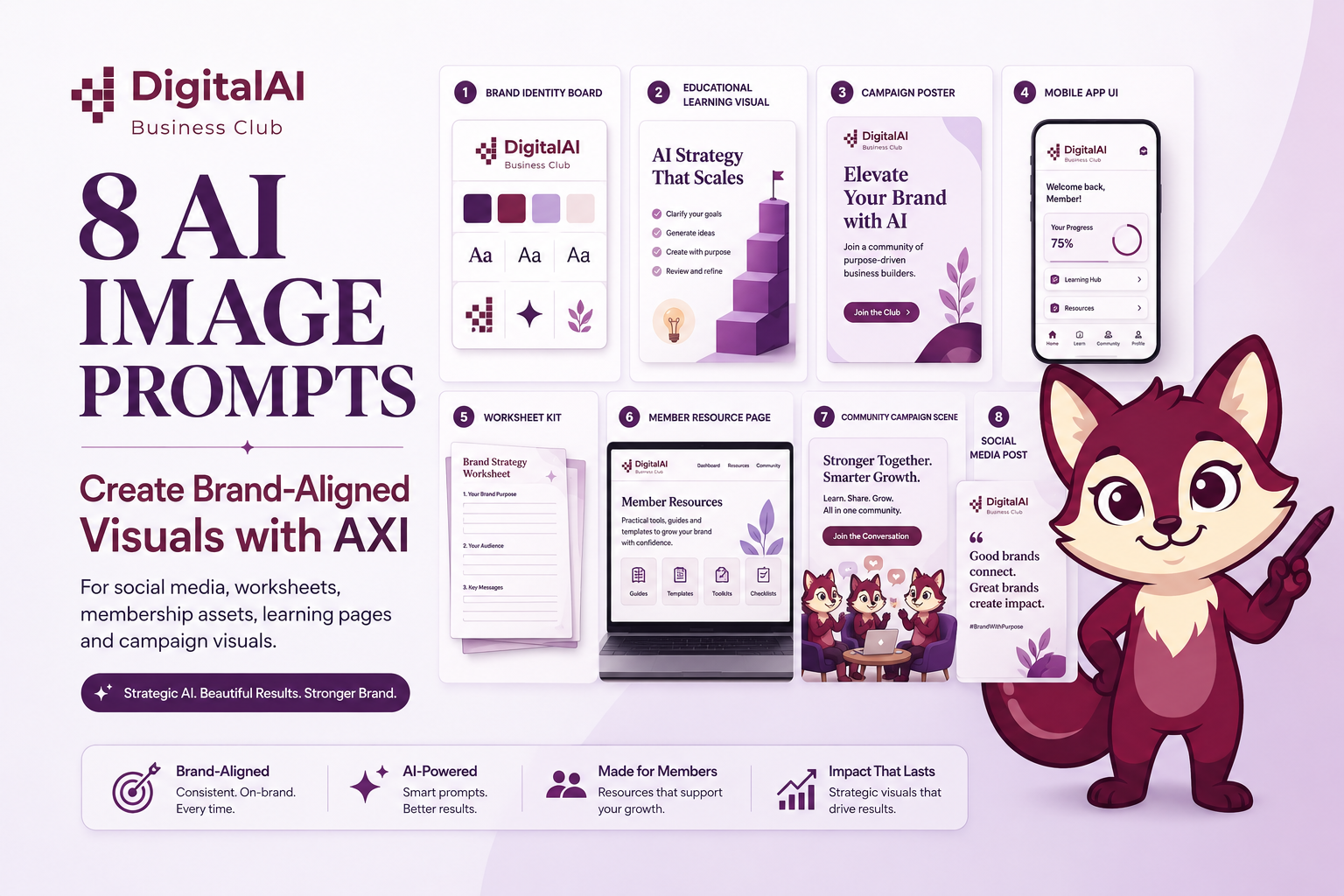
8 AI Image Prompts to Create DigitalAI Business Club-Style Visuals with AXI
AI images should not be random decoration. When used well, they can support your brand story, explain your business model, and make your ideas easier to understand.
In this guide, we will use DigitalAI Business Club and AXI, the Strategy Fox, to show how one brand can create consistent visuals for social media, membership education, worksheets, campaign posts, onboarding content, and community engagement.
Many business owners use AI image tools to create a single nice-looking poster. That is useful, but limited.
The bigger opportunity is to use AI as a brand thinking partner.
When your prompt includes positioning, audience, visual rules, brand colours, and business purpose, the output becomes more strategic.
It stops looking like “AI art” and starts becoming a visual asset that supports your business.
For DigitalAI Business Club, the visual direction is clear: white and light surfaces first, purple for hierarchy, lavender for warm section fills, and Dark Plum for call-to-action highlights.
The voice is calm, strategic, practical, empowering, trustworthy, and forward-thinking.
Brand OS reminder:
Use AXI for social media, educational content, worksheets, checklists, onboarding, and member accountability nudges.
Do not use AXI for corporate HRDC proposals, C-suite decks, formal client communications, or 10xAI Transformation assets.
1. Brand Identity Board Prompt
Use this prompt to create a complete DigitalAI Business Club visual identity board.
This is suitable for internal brand reference, content planning, Canva template direction, and community education assets.
Image 1: DigitalAI Business Club brand identity board with AXI
Create a premium editorial brand identity presentation board for DigitalAI Business Club as a warm, strategic, practical AI learning community for SME owners, consultants, coaches, and business leaders.
Use the uploaded DigitalAI Business Club logo and AXI the Strategy Fox mascot as brand references.
Show a complete community brand system that includes:
Logo treatment
AXI mascot usage
Typography system using Montserrat or Poppins for headings and Inter or DM Sans for body text
Colour palette with Deep Purple #3D0A5C, Brand Purple #6B2D82, Mid Purple #7B3A96, Soft Purple #9B5EAA, Lavender Blush #EDE4F5, Pale Lavender #F5EEF9, Dark Plum #72245C, White #FFFFFF, and Rich Black #1A1A2E
Membership worksheet mockups
Community post templates
Newsletter educational layouts
AI Customer Profit Engine framework cards
Diagnostic worksheet pages
Prompt card mockups
Onboarding checklist
Social media carousel layouts
Final brand lockups
Visual rules:
White and light surfaces should dominate.
Purple should signal hierarchy, not cover everything.
Lavender should be used as warm section fills.
Dark Plum #72245C should be the only CTA accent.
Do not use orange, maroon, blue, teal, green, neon, or red.
The presentation should feel calm, strategic, empowering, trustworthy, practical, and forward-thinking.
It should look like a polished Behance-style brand case study with Apple keynote clarity and premium business education structure.
Use generous white space, clear hierarchy, clean grid layout, disciplined typography, soft shadows, refined lighting, and warm editorial composition.
Aspect ratio: 1:1.
2. AXI Signature Learning Visual Prompt
This prompt positions AXI as a learning guide, not a cartoon decoration.
Use this for educational posts, worksheets, onboarding content, and member engagement.
Image 2: AXI as the Strategy Fox for practical AI learning
Create a premium educational hero visual featuring AXI the Strategy Fox for DigitalAI Business Club.
Use the uploaded AXI mascot and DigitalAI Business Club logo as references.
Show AXI standing beside a clean AI strategy learning board with visual elements such as:
Customer Journey Diagnostic
Revenue Leak Map
AI Customer Profit Engine
Strategy before tools
Diagnose before you automate
Clarity before automation
10 AI Profit Engines
Member action checklist
AXI should feel sharp, quick-witted, warm, practical, and accountable.
The character should guide business owners from AI confusion into business clarity.
Use a white and Pale Lavender #F5EEF9 dominant canvas.
Use Brand Purple #6B2D82 and Deep Purple Text #4A1A6B for headings.
Use Lavender Blush #EDE4F5 for educational panels.
Use Dark Plum #72245C only for one CTA button or one highlighted phrase.
Do not make the scene sci-fi, neon, robotic, or tool-heavy.
The visual should feel like premium business education, not a technology vendor ad.
Add small callouts:
Turn AI Confusion into Business Clarity
Strategy Before Tools
Customer Journey Before Automation
Profit Before Platform
Use clean spacing, clear hierarchy, professional illustration-meets-editorial style, soft shadows, polished lighting, and refined educational composition.
Aspect ratio: 1:1.
3. AI Customer Profit Engine Campaign Prompt
This campaign image connects your brand to your core positioning: AI should help businesses improve customer flow, revenue clarity, onboarding, retention, and customer value.
Image 3: AI Customer Profit Engine campaign visual
Create a premium campaign visual for DigitalAI Business Club featuring AXI the Strategy Fox and the AI Customer Profit Engine concept.
Use the uploaded AXI mascot and DigitalAI Business Club logo as references.
Main headline:
“KNOW YOUR REVENUE LEAKS BEFORE YOU BUILD”
Supporting line:
“Strategy before tools. Diagnose before you automate.”
Show AXI guiding a group of SME owners, consultants, coaches, and business leaders through a clean customer journey map.
The map should show stages such as:
Awareness
Trust
Enquiry
Sales
Onboarding
First Win
Retention
Referral
Customer Value
Add subtle visual markers for revenue leaks, unclear offers, weak follow-up, slow onboarding, and missed retention opportunities.
The scene should feel calm, strategic, practical, and business-first.
Avoid panic, hype, exaggeration, or futuristic sci-fi effects.
Use DigitalAI Business Club colours:
White and Pale Lavender as the main canvas
Brand Purple for hierarchy
Lavender Blush for cards and panels
Dark Plum #72245C for one call-to-action highlight only
The visual should look like a premium business strategy campaign for a learning community, suitable for LinkedIn, Facebook, WhatsApp, and blog use.
Use refined typography, strong visual hierarchy, generous white space, editorial composition, and polished lighting.
Aspect ratio: 1:1.
4. Membership App UI Concept Prompt
This image shows what a DigitalAI Business Club member experience could look like.
It is suitable for future product vision, community onboarding, and membership storytelling.
Image 4: Membership app UI concept with AXI
Create a premium mobile app UI presentation for DigitalAI Business Club as an AI strategy membership and learning community.
Use the uploaded DigitalAI Business Club logo and AXI mascot as brand references.
Show three iPhone mockups displaying:
1. Member dashboard
2. AI Profit Engines learning library
3. Customer Journey Diagnostic module
Include UI sections such as:
DigitalAI Strategy Vault
10 AI Profit Engines
Customer Journey Diagnostic
Revenue Leak Map
Weekly learning session
Prompt library
Worksheet downloads
Member progress tracker
Action step for the week
AXI accountability nudge
Use AXI as a friendly guide inside the app interface, especially in educational cards and action reminders.
Visual direction:
White and Pale Lavender dominant background
Brand Purple for headings and navigation
Lavender Blush for content cards
Dark Plum #72245C for one primary CTA button
Rich Black #1A1A2E for body text
The interface should feel clean, practical, warm, and premium.
It should not look like a generic AI chatbot app or futuristic SaaS dashboard.
Use crisp UI details, clear spacing, modern typography, polished iPhone reflections, soft shadows, and a keynote-style presentation layout.
Aspect ratio: 1:1.
5. Membership Worksheet Kit Prompt
This is a stronger Brand OS fit than packaging.
AXI is especially suitable for worksheets, homework, checklists, and accountability content.
Image 5: Membership worksheet kit with AXI
Create a premium membership worksheet kit presentation for DigitalAI Business Club.
Use the uploaded DigitalAI Business Club logo and AXI mascot as brand references.
Display a clean, professional learning kit arranged on a white desk:
AI Customer Profit Engine workbook
Customer Journey Diagnostic worksheet
Revenue Leak Map template
10 AI Profit Engines checklist
Prompt cards
Strategy Vault access card
Weekly action planner
Member onboarding checklist
AXI accountability sticker
Reflection journal page
Community learning note card
Use AXI on selected worksheets and checklist cards as a warm accountability guide.
Include small AXI-style copy snippets:
“Your turn — AXI’s got her eye on you.”
“One thing. Do it before you sleep tonight.”
“What would change if you actually knew this about your customer?”
Visual rules:
White and light surfaces dominate.
Use Lavender Blush #EDE4F5 for worksheet panels.
Use Brand Purple #6B2D82 for headings.
Use Dark Plum #72245C only for CTA badges or one highlight.
Do not use orange, maroon, blue, neon, teal, green, or red.
The design should feel practical, structured, warm, strategic, and premium.
Focus on tactile realism: paper texture, clean print quality, soft shadows, neat layout, elegant cards, and polished educational material presentation.
Aspect ratio: 1:1.
6. Member Resource Page Mockup Prompt
Because the Brand OS says AXI should not be used for premium website hero pages, this prompt frames AXI inside a member resource or learning page instead.
Image 6: Member resource page mockup with AXI
Create a premium member resource page mockup for DigitalAI Business Club displayed on a MacBook screen.
Use the uploaded DigitalAI Business Club logo and AXI mascot as references.
Important:
This is not a public premium sales homepage.
This is a member learning and resource page where AXI can appear as a guide.
Include:
Member welcome section
AXI learning tip card
AI Customer Profit Engine modules
Customer Journey Diagnostic
Revenue Leak Map download
Weekly action step
Prompt library
Strategy Vault resources
Community learning section
Progress tracker
Worksheet download cards
Main headline:
“Turn AI Confusion into Business Clarity”
Supporting phrase:
“Learn the 10 AI Profit Engines step by step.”
Visual direction:
White and Pale Lavender #F5EEF9 dominant page background
Brand Purple #6B2D82 for headings
Mid Purple #7B3A96 for links and labels
Lavender Blush #EDE4F5 for resource cards
Dark Plum #72245C for one primary CTA button only
Rich Black #1A1A2E for body text
The layout should feel calm, spacious, strategic, and practical.
Use clear hierarchy, generous spacing, refined typography, polished MacBook reflections, crisp UI details, and premium educational platform composition.
Avoid sci-fi design, neon effects, tool-vendor styling, or overloaded dashboards.
Aspect ratio: 1:1.
7. Community Campaign Visual Prompt
This replaces the billboard idea with a community movement visual.
It is more suitable for DigitalAI Business Club because the brand is about SME learning, community, and practical implementation.
Image 7: Community campaign visual with AXI
Create a premium community campaign visual for DigitalAI Business Club featuring AXI the Strategy Fox.
Use the uploaded DigitalAI Business Club logo and AXI mascot as references.
Scene:
A warm modern learning space with SME owners, consultants, coaches, trainers, and business leaders gathered around a large strategy wall.
AXI stands near the strategy wall as a guide.
The wall shows a clear map from AI confusion to business clarity.
Main headline:
“STOP CHASING TOOLS. FIND YOUR REVENUE LEAKS FIRST.”
Supporting phrases:
Strategy before tools
Diagnose before you automate
Customer journey before automation
Profit before platform
Show subtle visual elements:
Customer journey map
10 AI Profit Engines cards
Revenue leak indicators
Member action checklist
Community learning icons
Business growth pathway
Use Brand OS visual rules:
White and light surfaces dominate
Purple signals hierarchy
Lavender fills sections
Dark Plum #72245C is the only CTA accent
No orange, no maroon, no blue, no teal, no green, no red, no neon
The mood should feel calm, practical, strategic, empowering, trustworthy, and forward-thinking.
It should look like a premium educational community campaign, not a futuristic tech advertisement.
Use soft lighting, spacious composition, clean typography, editorial finish, and professional business learning atmosphere.
Aspect ratio: 1:1.
8. Social Media Campaign Post Prompt
This prompt is ideal for LinkedIn, Facebook, WhatsApp communities, and Instagram.
It introduces the club with one clear message: clarity comes before automation.
Image 8: Social media campaign post with AXI
Create a premium social media campaign post for DigitalAI Business Club featuring AXI the Strategy Fox.
Use the uploaded DigitalAI Business Club logo and AXI mascot as references.
Main headline:
“CLARITY BEFORE AUTOMATION”
Supporting text:
“Diagnose your customer journey before buying more AI tools.”
Scene:
A professional SME owner sits at a clean desk reviewing a customer journey map on a laptop.
AXI appears beside the map as a warm, sharp, accountable strategy guide.
The visual should include small cards showing:
Customer Clarity Engine
Offer Engine
Demand Engine
Revenue Engine
Growth Engine
Use a clean, calm, premium business education style.
The image should feel useful, not noisy.
Brand colours:
White #FFFFFF
Pale Lavender #F5EEF9
Lavender Blush #EDE4F5
Brand Purple #6B2D82
Deep Purple Text #4A1A6B
Dark Plum #72245C for one CTA badge only
Rich Black #1A1A2E for readable text
Avoid:
Orange
Maroon
Blue
Red
Neon
Overly robotic AI visuals
Hype-driven futuristic effects
The tone should be calm, strategic, practical, empowering, trustworthy, and forward-thinking.
Use refined editorial layout, clear hierarchy, polished lighting, generous spacing, and crisp typography.
Aspect ratio: 1:1.
How to Use These Prompts
Simple workflow:
1. Open ChatGPT image creation or your preferred AI image tool.
2. Upload the DigitalAI Business Club logo and AXI mascot image.
3. Paste one prompt at a time.
4. Generate in 1:1 for social posts or 1200×800 for blog images.
5. Rename the file using the SEO-friendly name before uploading to WordPress.
Why This Matters
AI image generation is not just a design shortcut.
It is a way to test visual positioning before spending time and budget on full design production.
But the quality of the output depends on the quality of the brief.
If the prompt is tool-focused, the image will look generic.
If the prompt is strategy-led, the image becomes a business communication asset.
For DigitalAI Business Club, the goal is not to look like another AI tool brand.
The goal is to help SMEs, consultants, coaches, and business leaders turn AI confusion into business clarity.
Simple Framework: D.A.I. Visual Prompting
| Step |
Meaning |
Prompt Question |
| D — Diagnose |
Start with the business problem. |
What confusion, leak, or decision should this visual help explain? |
| A — Align |
Match the image to the brand OS. |
Does it follow the right colours, voice, audience, and AXI usage rules? |
| I — Implement |
Turn the visual into a usable asset. |
Will this be used for a post, worksheet, onboarding page, newsletter, or campaign? |
Final Thought
AI will not replace brand strategy.
It will expose whether a business has clear strategy or not.
The real advantage belongs to business owners who can brief AI with clarity:
who they serve, what problem they solve, what their brand stands for, and what action they want the audience to take.
That is why the best AI visuals do not start with the tool.
They start with strategy.
Join DigitalAI Business Club
DigitalAI Business Club helps SMEs, consultants, coaches, and business leaders build an AI Customer Profit Engine by finding revenue leaks across the customer journey and using AI to improve trust, sales, onboarding, retention, and customer value.
Start with clarity. Then build with AI.
Visit digitalaibusinessclub.com to learn more.
FAQ
Can I use these prompts for my own business?
Yes. Replace DigitalAI Business Club with your brand name, upload your logo, and adjust the audience, colours, and message.
Keep the business purpose clear before generating the image.
Why is AXI used in these visuals?
AXI is the Strategy Fox for DigitalAI Business Club. AXI adds warmth, guidance, and accountability to social, educational, worksheet, onboarding, and community content.
Where should AXI not be used?
Do not use AXI for corporate HRDC proposals, C-suite presentations, formal client communications, 10xAI Transformation assets, or premium public sales hero pages.
What makes these prompts different from generic AI image prompts?
These prompts are built around business purpose, customer journey clarity, revenue leaks, membership learning, brand voice, and visual rules.
That makes the output more strategic and less random.
What image size should I use?
Use 1:1 for social media posts and carousel visuals.
Use 1200×800 for blog post images.
Use 1920×1080 for presentation slides and video thumbnails.