We believe in transparency and flexibility.
If you ever decide that the 10xAI Business Club is no longer right for you, you can cancel your subscription easily .
Below is a simple step-by-step guide.
🔹 Important Things to Know First
- You can cancel at any time
- Cancellation applies at the end of your current billing period
- Your access remains active until the expiry date
This ensures a fair and smooth experience for all members.
✅ How to Cancel Your Subscription (Step by Step)
Step 1: Log in to Your Account
Go to your member account page:
👉 https://digitalaibusinessclub.com/membership-account/
(Use the email and password you registered with)
Step 2: Go to “Membership Account”
Once logged in, you’ll see your active membership details.
Step 3: Click “Cancel Membership”
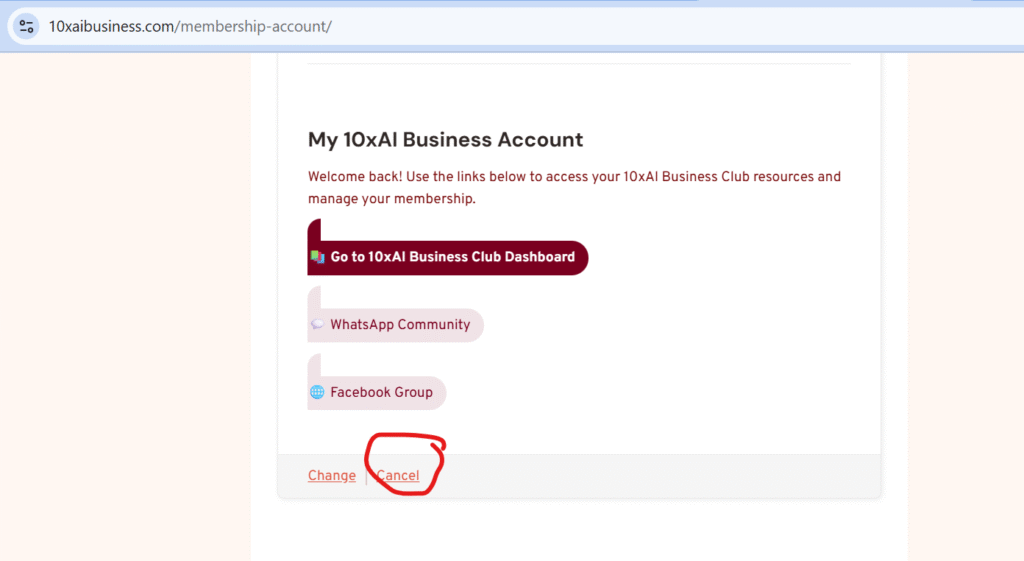
Click the Cancel Membership button.
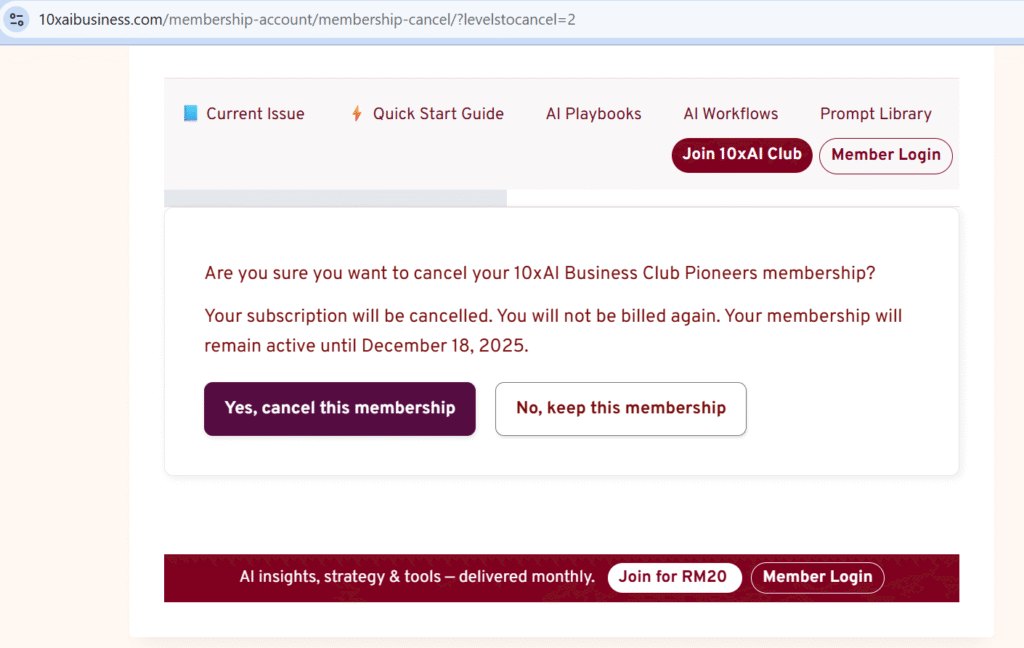
You’ll be asked to confirm your cancellation.
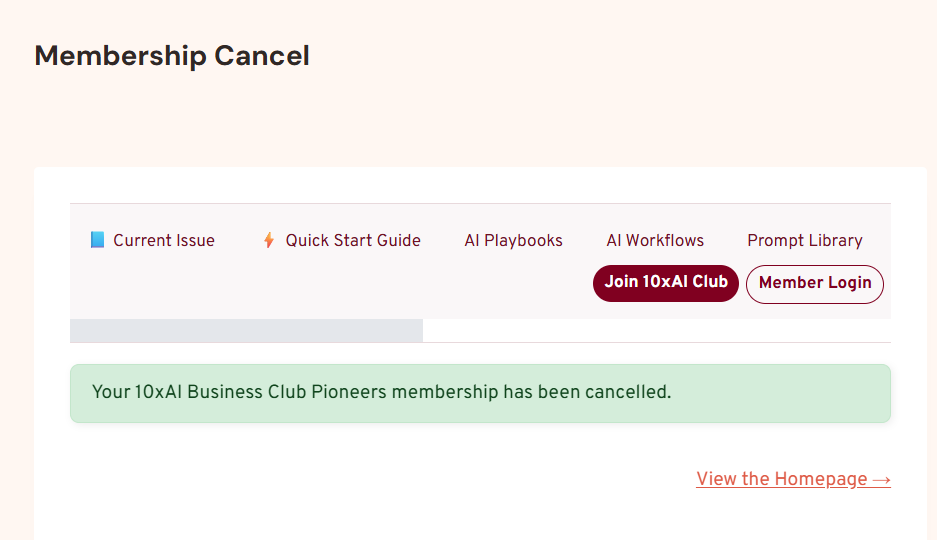
Step 4: Confirmation
After confirmation:
- Your subscription will be set to cancel at the end of the current billing period
- You can continue accessing all member benefits until your expiry date
- No further charges will be made after that date
🔁 Can I Rejoin Later?
Yes.
You’re always welcome back — simply sign up again when you’re ready.