
How AI Transforms My Content Workflow (Without Losing My Voice)
A grateful, honest reflection on using AI to speed up content—while keeping a very human tone.

Why I’m grateful for AI
When I first created content, the cycle felt endless—ideas, writing, visuals, formatting, publishing, tracking. AI changed that. Today, I have more space to focus on purpose: teaching, inspiring, and helping SMEs rethink strategy with AI. The relief is real—and I’m grateful.
My real workflow (step by step)
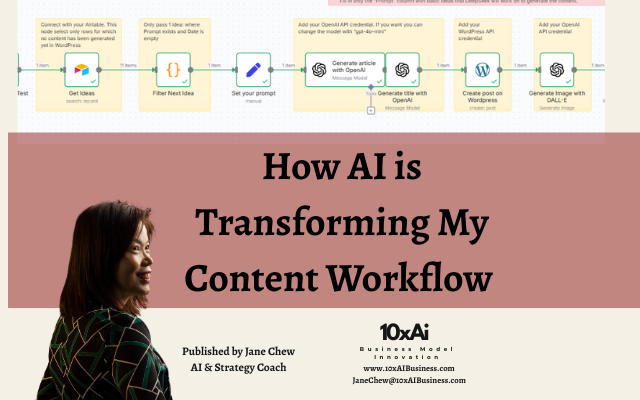
- Capture: I drop simple prompts into Airtable or a Google Sheet.
- Draft: OpenAI expands them into a structured article and suggests headlines.
- Visuals: DALL·E generates a matching banner image.
- Publish: n8n pushes the draft + image to WordPress via API.
- Track: The sheet updates automatically with post status and URL.
What once took hours now takes minutes—without skipping quality control.
The benefits I’m seeing
- Consistency at scale: Ideas don’t get stuck; they flow into drafts.
- Time back: I spend more time on strategy and client work.
- Creative focus: AI handles mechanics; I craft the message.
My caution: never full auto
I don’t press a button and publish. I always review, edit, and align every piece with my tone and intent. AI can’t fully replicate lived experience or judgment—and that human touch builds trust.
- Vet facts and claims.
- Polish tone and flow to sound like me.
- Add personal context and practical examples.
Takeaway & next steps
AI is a powerful partner for content operations. Let it do the heavy lifting, but keep your voice at the center. That’s how you get speed and soul.
FAQ
Should I fully automate with AI?
No. Use AI for speed, but keep human review for tone, accuracy, and trust.
Which tools do you use?
Airtable/Sheets, OpenAI, DALL·E, WordPress API, orchestrated by n8n.
How do I keep my brand voice?
Create a tone guide, add personal stories, and edit every draft before publishing.